The Smallest Hello World Program
Understanding how executable binaries actually work
Passionate about software development and architecture, web and cloud technologies, as well as game development.
So, initially, I just wanted to see what the smallest binary size for a ‘Hello World’ program written in Rust would be. Why? Out of curiosity - it's probably just a simple compiler flag anyway, right? Well, turns out there are some that help, but you need a lot more work to get a truly minimal binary. Much of it is not even related to Rust! Of course, there are many drawbacks when optimizing for a minimal executable, but there are valid use cases where space or transfer size is crucial.

As a first step, I want to see what the lowest general limit for a ‘Hello World’ program is. To have the most control and be sure that there is no overhead from a compiler, I will develop it in assembly. With that baseline, I can then compare the resulting binary with one written in Rust (or even Zig and C) in future.
Let’s first establish some rules for our ‘Hello World’ program:
The program has to be executable on any modern 64-bit x86 Linux machine
It should be able to execute directly without passing to any other programs first (so no decompression)
It should be a ‘proper‘ executable binary according to the spec
It should print ‘Hello World‘ to the standard output and exit with code
0(success)Performance does not matter, but it should show the text fast
Now, to write the x86 assembly: A normal ‘Hello World‘ program is actually not as trivial as it sounds, since we need to interact with our operating system to print to the terminal. We can craft the syscall ourselves, but typically developers would use libc to call the printf function. However, since we are on our quest for a minimal binary, this won’t be an option since printf does actually quite more than just print to the stdout and we would have to link to libc which comes with a lot of overhead!
This is the most trivial assembly I was able to come up with (without optimizing further, we will do this later):
msg: db 'Hello, World!', 0xA

global _start
_start:
    mov rax, 1         ; syscall: sys_write
    mov rdi, 1         ; file descriptor: stdout
    lea rsi, [rel msg] ; pointer to message
    mov rdx, 14        ; message length
    syscall

    mov rax, 60        ; syscall: sys_exit
    mov rdi, 0         ; exit code 0
    syscall
To give a short explanation: First, we write the bytes of the null-terminated ‘Hello World‘-string statically into the assembly. We expose our application’s entry point to the ELF interface (which we will learn about later) by defining the label _start as global.
To actually print something, we want to call the sys_write syscall. In the Linux source code, it is defined here as:
SYSCALL_DEFINE3(write, unsigned int, fd, const char __user *, buf, size_t, count)
{
	return ksys_write(fd, buf, count);
}
So it is defined by some C macro and just calls another helper function. The signature will expand to something like:
long sys_write(unsigned int fd, const char __user *buf, size_t count);
The first argument identifies the file descriptor (stdout in our case, which is 1). The second one is a pointer to the data; finally, we have the length of the data.
We still need the final syscall to exit cleanly with code 0; then we are done. I avoid using the .data section as this will introduce additional section headers, metadata and alignment bytes.
To assemble this, I use the NASM assembler and link with ld:
$ nasm -f elf64 -o hello.o hello.asm # assemble the source file with NASM
$ ld -o hello hello.o                # link the object file with LD
$ chmod +x hello                     # mark as executable
Now let’s see if it works and print the size:
$ ./hello
Hello World!
$ wc -c hello # linux utility to count bytes (-c)
4728 hello
So 4728 bytes. Not bad ey?
But why do we need so many bytes for something so simple in the first place? Remember the two commands we used to build the executable? Let’s print the size after every step:
$ wc -c hello.o # the object file (assembler output)
640 hello.o
$ wc -c hello   # the final executable (linker output)
4728 hello
Why does our binary get more than 7 times bigger during the linking process with ld? And why do we need to link anyway?!
In short: The GNU linker (ld) takes one or more object files (e.g., hello.o) produced by assemblers and combines them into an executable binary or a shared library (.so). It resolves symbols (like the _start label) and hardcodes their final memory addresses inside the binary. It will also move some addresses around and add zero bytes to optimize the memory layout. If we were to use shared libraries it would also set those up for us. Additionally, debug symbols are generated to make debugging possible. Finally, it generates the application entry point so the system can directly execute it. Since this process involves understanding the assembly and moving around many things, optimizing the input object file (removing padding/alignment bytes or symbols) won’t decrease the file size of the final executable but might even break the linking process - believe me, I tried.
Instead, we can try to remove some of that information from the binary. For example, symbols will help us debug the application - but we don’t need that since our code always works perfectly first try. Let’s have a look at them:
$ nm hello
0000000000402000 T __bss_start
0000000000402000 T _edata
0000000000402000 T _end
0000000000401000 t msg
000000000040100e T _start
Some of those strings might sound familiar from our assembly code, others are built-ins. Using strip we can get rid of them:
$ wc -c hello # the final executable (linker output)
4728 hello
$ strip --strip-all hello
$ wc -c hello
4352 hello
$ ./hello
Hello World!
Down to 4352 bytes! So we removed a bunch of stuff and the executable still works just fine.
This is not bad at all, but to go further we have to understand every single byte of the binary. The format of binaries on Linux is called ELF. But who is this magic elf 🧝? It stands for “Executable and Linkable Format“ and describes the format of an assembled binary. You can read through the spec here but I will summarize quickly. The spec contains this nice figure which describes the layout of our binary before (the hello.o file) and after linking:

So while the small binary before linking also adheres to the ELF format most of the information is only added to the executable. We will have a more detailed look at the header later. The program header describes which memory sections to load at runtime. The section header describes static data (.text, .data sections). The segments define what needs to be loaded into memory for execution. This figure from Wikipedia visualizes the execution view quite well, but you might have to zoom in.
We can assemble our executable without the ELF format as a so-called ‘flat binary‘ and get only the bytes for our hello-world code (we also have to remove the global instruction):
$ nasm -f bin -o hello.o hello.asm
$ wc -c hello.o
47 hello.o
$ ld -o hello hello.o
ld:hello.o: file format not recognized; treating as linker script
ld:hello.o:1: syntax error
So the raw assembled binary is now 47 bytes. However, we cannot link and execute it inside of our operating system anymore. This is because we don’t have the ELF header anymore! This is useful if we would want to build our own BIOS or system kernel.
It is also useful for us because now we can measure exactly how each instruction influences the binary output size without having to worry that the size might be distorted because of alignment or padding introduced by the linker. So now it’s time to optimize our hello world program!
I got some tips on hackernews: At some places we can use the 32-bit instructions (like mov edi, eax) which will remove one byte (the REX prefix byte); Additionally, by using the stack-based operations push and pop, which have a small opcode and encode the value as 8-bit numbers instead of using 32 bit we can rewrite the main program like this:
msg: db 'Hello, World!', 0xA

_start:
    ; syscall: sys_write (1)
    push 1             ; syscall number
    pop rax
    mov edi, eax       ; file descriptor: stdout
    lea esi, [rel msg] ; pointer to message
    push 14            ; message length
    pop rdx
    syscall            ; invoke syscall

    ; syscall: sys_exit (60)
    mov eax, 60        ; syscall number
    xor edi, edi       ; exit code 0
    syscall            ; invoke syscall
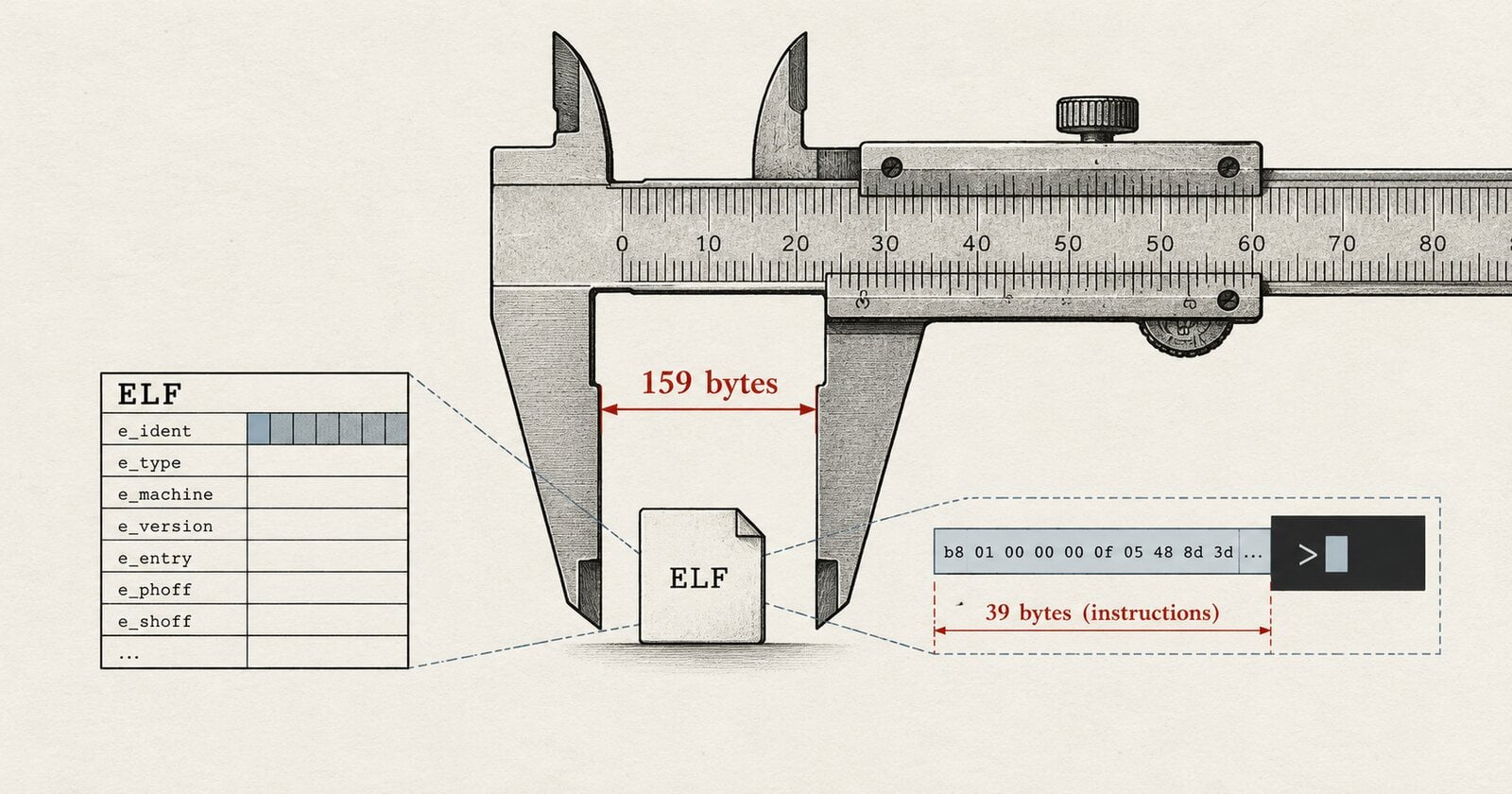
And with that, we got it down to 39 bytes (we had 47 bytes before)!
Back to the problem that we still cannot execute that binary: Since we don’t rely on any of the other features of the linker or ELF format in this case, we can just create the ELF header ourselves. Using assembly we can write the required bytes directly into the code:
https://gist.github.com/michidk/aaf08c7678e02b574973556d0fba741e
And now assembling and executing it:
$ nasm -f bin -o elf elf.asm; chmod +x elf
$ ./elf
Hello World!
$ wc -c elf
159 elf
Finally, we are now down to 159 bytes!
Now I want to highlight, that if we were to build our program for a 32-bit architecture, we could get this number down even further since instructions are encoded using fewer bytes, pointers only use 4 bytes and the binary is 4-byte aligned (instead of 8 bytes). I tried it and it got the binary size down to 121 bytes which is much smaller! But remember the rules? We restricted ourselves to a modern 64-bit architecture!
You can find the code for both 64-bit and 32-bit versions here.
Now, there are some ways we could build an executable with even fewer bytes, but I consider them violating our “according to spec“ requirement. For example, not all ELF header bytes are actually used (or the system just might not care), so we could start our program earlier by reusing some of the ELF header bytes as Brain Raiter demonstrated here. With that technique, we would get it probably below 100 bytes.
What a journey! If you want to go really deep on executables, I can recommend the blog series “Making our own executable packer“ by fasterthanlime. Have a great one!